
Cloudflare Images Integration
Overview
Starting with version 4.90, thumbnail management has been refactored for greater flexibility. A new interface, IThumbService, has been introduced to handle all thumbnail-related operations previously managed by 'IPictureService`.
The following methods have been moved to IThumbService:
GetThumbLocalPathAsyncGeneratedThumbExistsAsyncSaveThumbAsyncGetThumbLocalPathByFileNameAsyncGetThumbUrlAsyncDeletePictureThumbsAsync
As part of this change, thumbnail storage logic has been decoupled from the core application into standalone plugins. The existing Azure Blob Storage functionality is now a separate plugin. A new plugin has been developed to integrate Cloudflare Images as a thumbnail storage solution.
Note
By default, both the Azure Blob and Cloudflare Images plugins (Misc.AzureBlob and Misc.CloudflareImages) are listed in the InstallationConfig.DisabledPlugins property. This ensures that neither plugin is installed during a fresh setup, allowing store owners to choose and install the storage solution that best fits their needs.
Configuration Azure Blob Storage
We can use Azure Blob Storage to store blob data. nopCommerce already has a feature integrated for that, we just need to set the following information correctly to use this feature. Values for these settings can be obtained for Azure while you create the storage account.
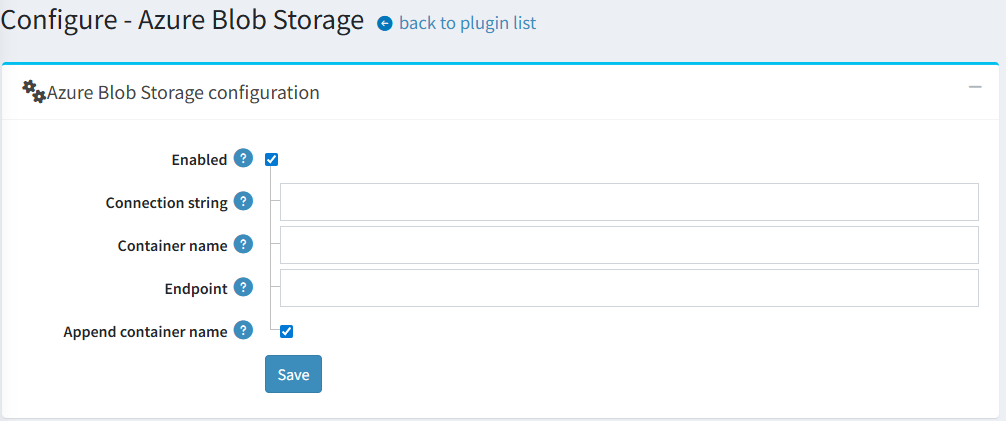
- ConnectionString This setting expects a string value. Here you need to add your
AzureBlobStorageconnection string. - ContainerName Value for this setting is also of type string. In this setting, we set the container name for Azure BLOB storage.
- EndPoint This setting also expects a string value. Here we need to set the endpoint for Azure BLOB storage.
- AppendContainerName This setting expects a boolean value. Set the value to
trueorfalsebased on whether the Container Name is appended to theEndPointwhen constructing the URL.
Configuration Cloudflare Images
The plugin settings are straightforward, consisting of four fields in addition to the master enable/disable switch.
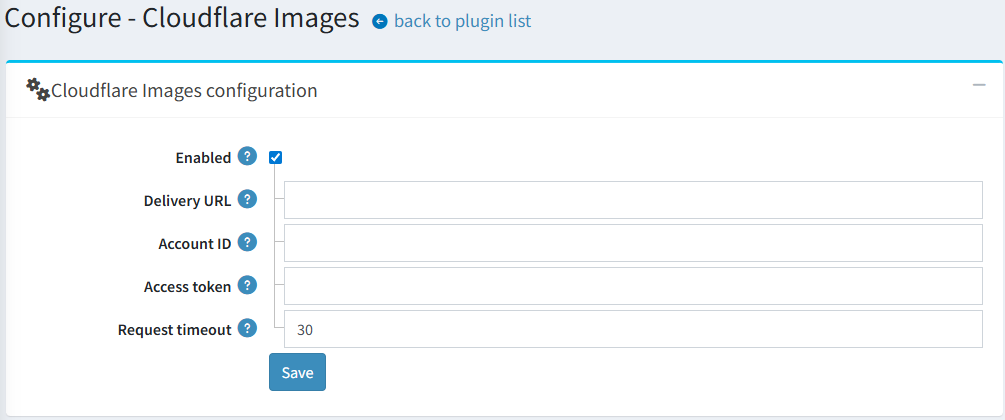
A critical field is the Delivery URL. It must be configured in the following specific format:
https://imagedelivery.net/[account_hash]/<image_id>/<variant_name>
This URL acts as a template. The plugin will dynamically insert the required image_id and variant_name to generate the final URLs for the thumbnails displayed on the website.
Usage
Once configured and enabled, the plugin operates automatically in the background, similar to the Azure Blob storage integration. It seamlessly handles:
- Uploading new thumbnails to the Cloudflare Images service.
- Replacing local thumbnail URLs with the corresponding Cloudflare Images URLs on all public-facing pages.
